One account, two sides — switching between DiscoAds and DiscoOffers
Every Disco account has both sides built in: advertise with DiscoAds (acquire customers across the network) and earn with DiscoOffers (monetize your own post-purchase pages). You don't need separate accounts — you switch views inside the platform.
Switching views
Click the product name in the top-left corner of your dashboard — for example, DiscoAds · Acquire customers — and pick the other side. Your account, brand profile, and login stay the same; only the view changes.
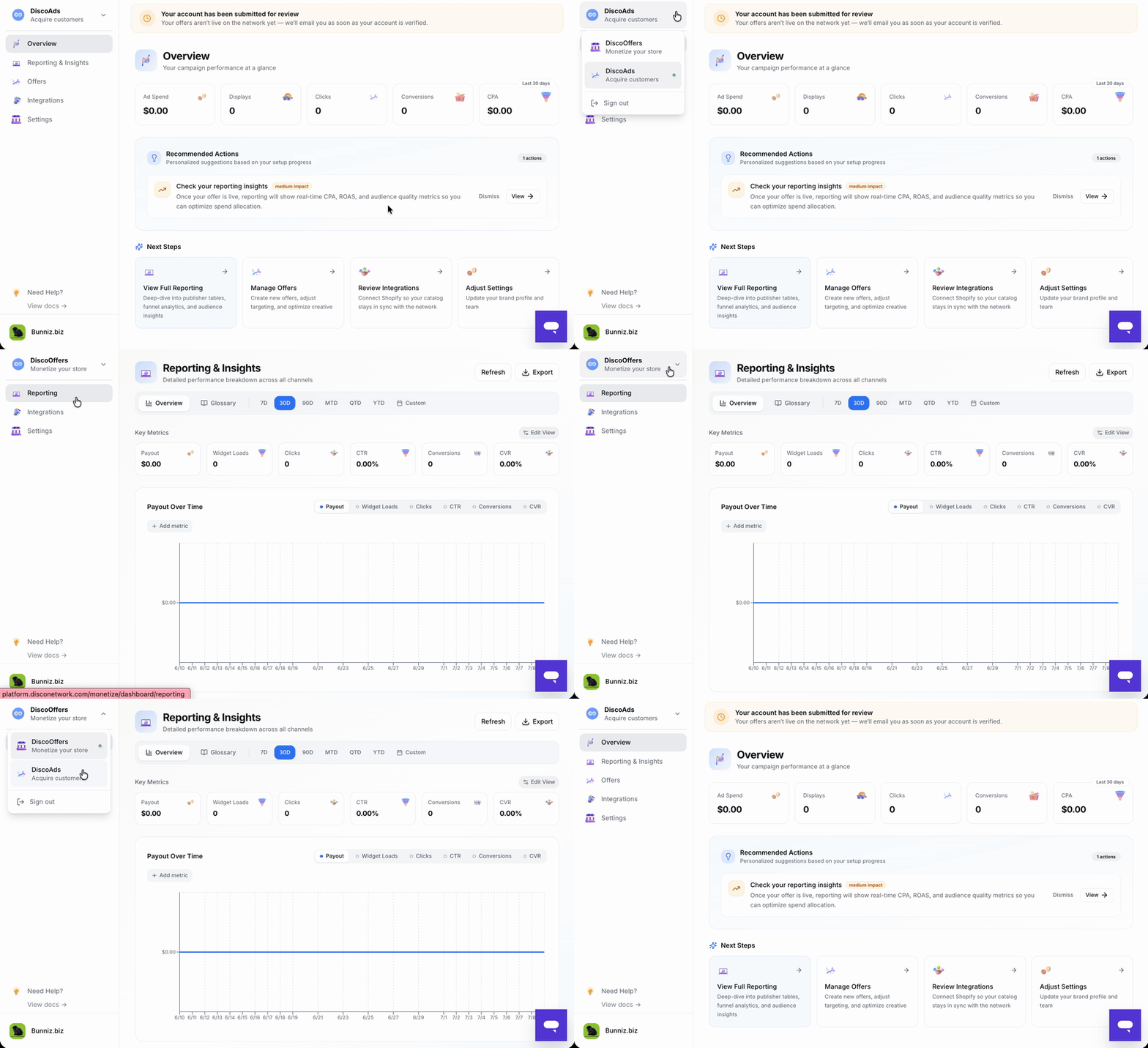
Why am I seeing a side I didn't sign up for?
It's just a view — seeing it doesn't mean anything is running. Nothing shows on your store, no offers run, and nothing is billed unless you complete that side's setup and go live. If you only advertise, you can ignore the monetize view entirely (and vice versa).
Why you might want the other side
- Advertisers: your own thank-you and order status pages already have the post-purchase traffic that DiscoOffers turns into revenue. See What is DiscoOffers for Publishers?
- Publishers: your brand could be the offer shoppers see across the rest of the network. See Getting started with DiscoAds on Shopify or on other platforms.
Many brands run both — start with one, add the other whenever it makes sense.