Regaining access to Disco if you're on Shopify
Lost access to your Disco account? If your store is on Shopify, this walks you through reinstalling Disco and relinking your existing account. Note: this regains access to the Disco platform — it does not set you live. For going live, see Going live: review and activation.
Step 1: Redownload Disco in the Shopify App Store
- This step (and going live later) requires Shopify Admin access.
Step 2: Do you remember your account credentials?
- If yes — follow the steps below.
- If no — reach out to your CSM or our support team using the chat widget in the bottom right corner of your screen. We'll either create a new account for you or send a password reset email.
Step 3: Access the Disco platform through the Disco app in your Shopify Admin page
- Clicking the Disco app takes you to your brand-specific "Let's Get Started" page.
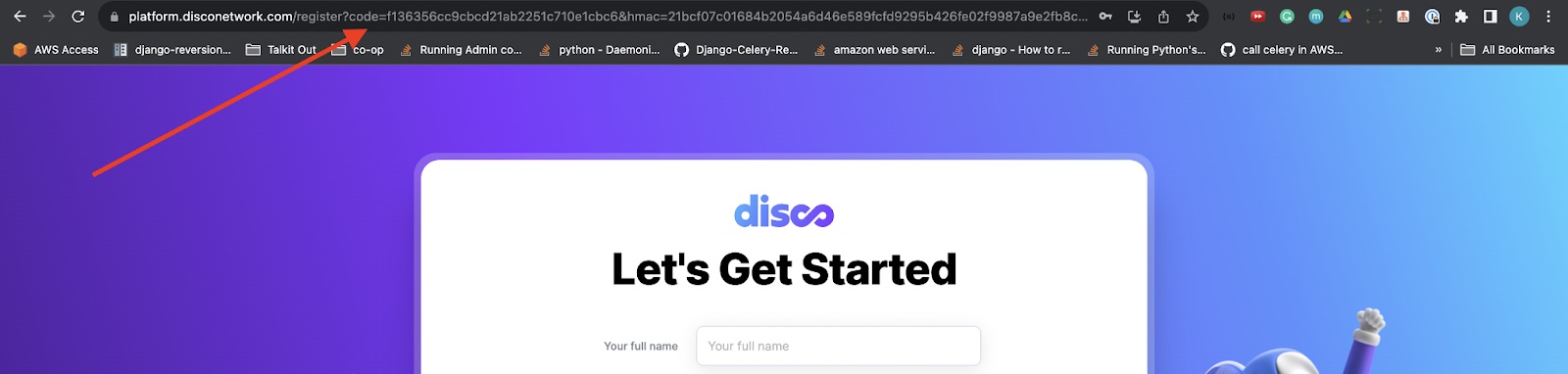
- Note the URL in your address bar, which will look similar to:
https://platform.disconetwork.com/register?code=…&hmac=…&shop=your-store.myshopify.com×tamp=… - Confirm the
shop=portion matches your Shopify store.
Step 4: Modify the URL by adding an extra parameter
- At the end of the URL, add the query parameter
&existing=trueand load the new URL (press Enter in the address bar). - You'll be redirected to a slightly different "Let's Get Started" page. Re-enter the following and select "Agree to terms":
- Full Name
- Brand Name
- Website URL: auto-populated from Shopify
Step 5: Linking to your previous account
- Once you "Create an Account", you'll see an error that you already have an account with these credentials. This is expected. You'll be given the option to link the accounts together — approve it, and your account is reregistered and redirected to onboarding.
Step 6: Last step before regaining access!
- On the new "Let's Get Started" page, your shop description is auto-populated from the previous time Disco was installed. You may be offered the option to edit or upload a new brand logo. Click "Next" and you'll land on your Disco dashboard.