Network controls
You control which subcategories are excluded from recommendations across your network — at two levels that combine automatically. Controls are at the category/subcategory level; you can't block an individual advertiser from the dashboard today.
Two levels of exclusion
-
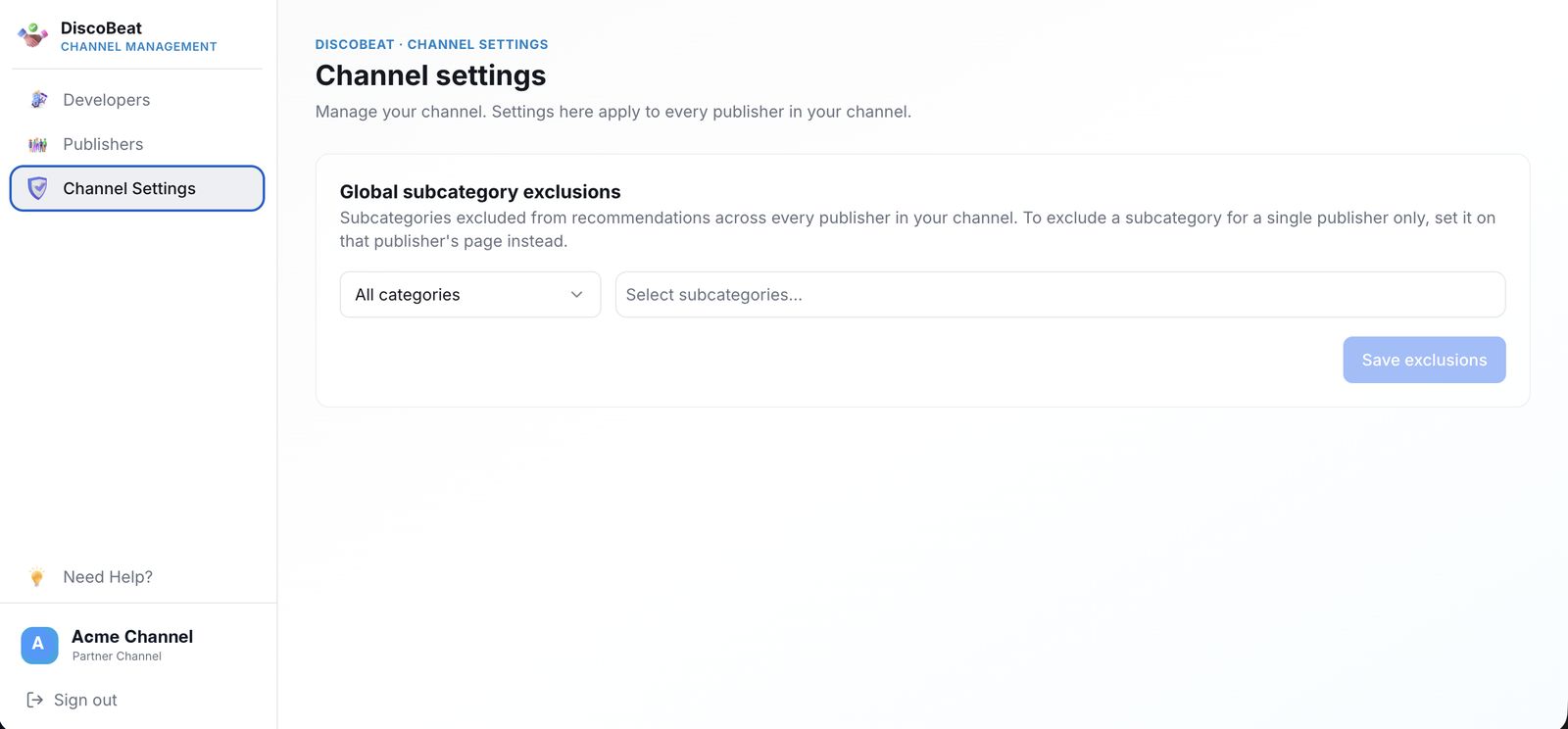
Global exclusions — in Channel Settings › Global subcategory exclusions, choose subcategories to exclude across every publisher in your channel. Pick a category, select the subcategories, and Save exclusions. Set once, applied everywhere.
-
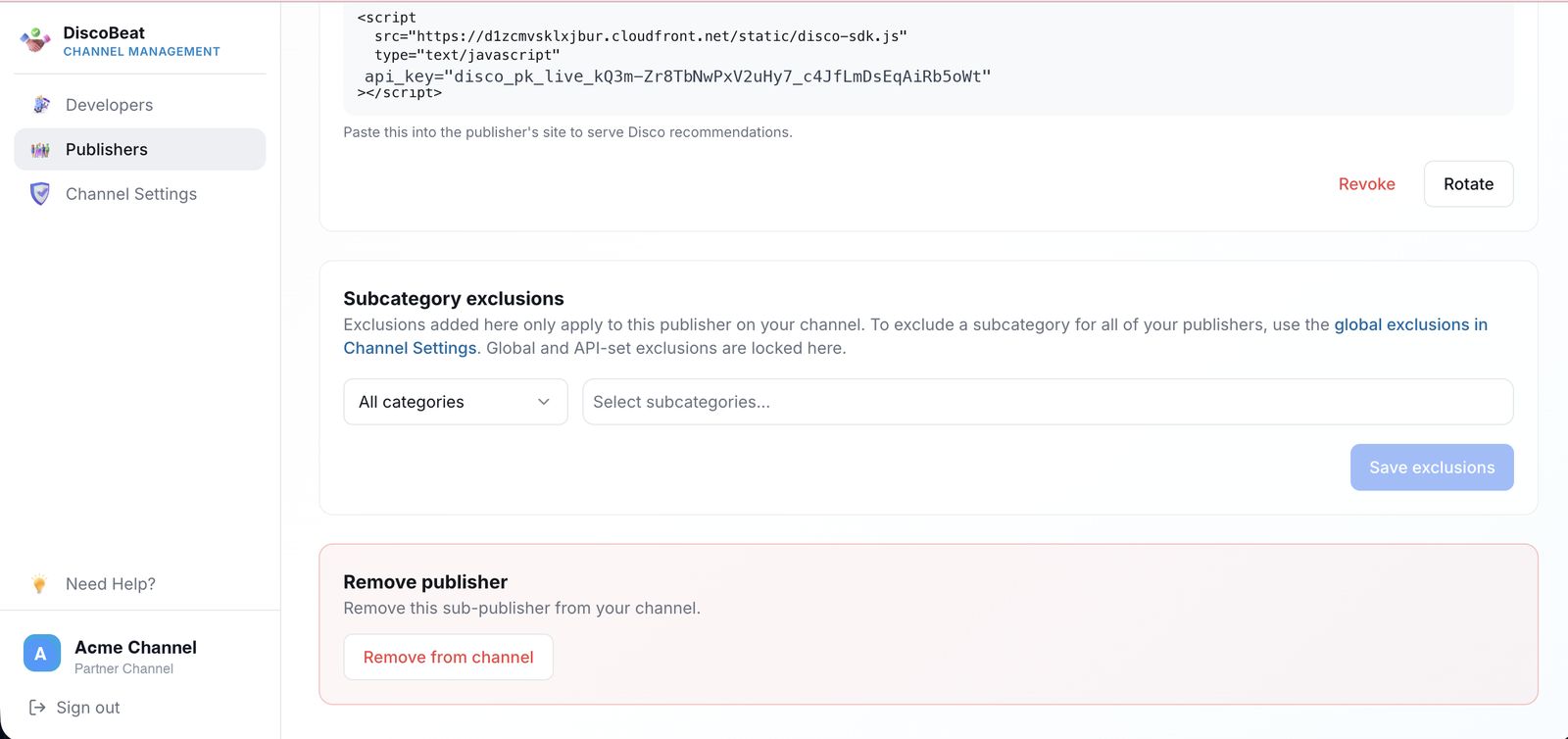
Per-publisher exclusions — on an individual publisher's page, under Subcategory exclusions, add exclusions that apply to just that publisher, on top of the global ones.
How they combine
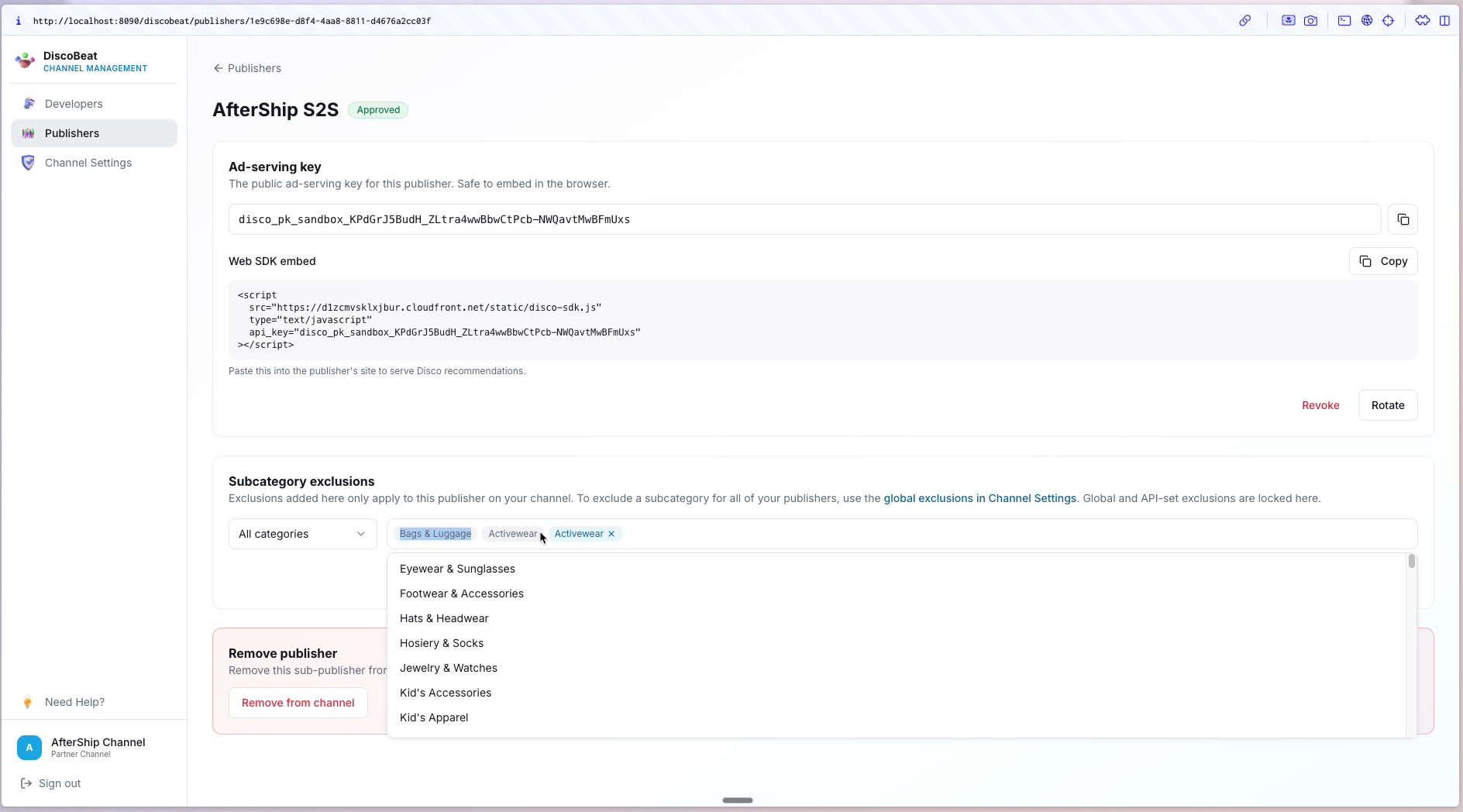
On a publisher's page, exclusions that came from your global settings (or were set through the API) appear grayed out and locked — you manage those in Channel Settings. Exclusions specific to that publisher appear in blue and can be removed there. At runtime, Disco applies the full combination — global plus publisher-specific — to filter recommendations. A per-publisher exclusion you set by hand stays put even if you later change your global settings.
A note on earnings
Every subcategory you exclude removes advertisers that could have shown — which lowers what you and your publishers earn. Keep exclusions to what you actually need: you have full control over your network, but minimize where you can.
Related articles
Managing publishers programmatically? See the DiscoBeat Channel API in the Developers section.